eSIM Premium Complete Activation and User Guide
Get Ready for High-Speed Connectivity in Japan
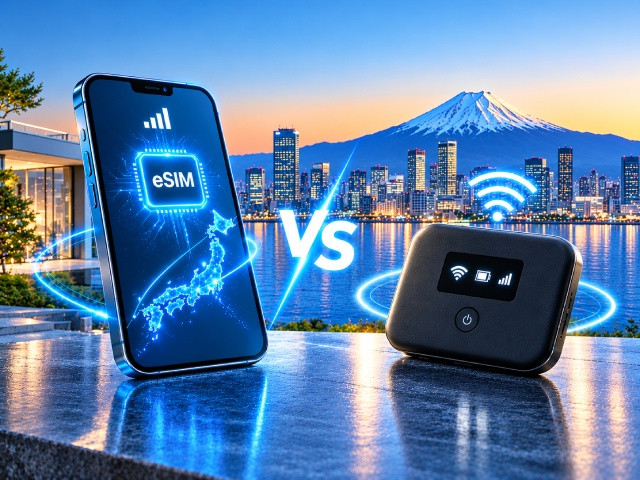
This complete guide is designed to help you easily set up, activate, and manage your 5G Japan eSIM Unlimited Data – Premium.
You can safely install your eSIM on your device today. Your data plan and validity period will only start when you arrive in Japan and your phone connects to the KDDI mobile network for the first time.
Follow the sections below to prepare your device, complete the installation, and understand how your unlimited data and hotspot allowance work.
1. Prepare Your Device Before Installing the eSIM
A Few Minutes of Preparation Can Prevent Connection Issues
Before installing your Premium eSIM, it's worth spending a few minutes preparing your device. Although most installations complete without any issues, removing old or unused network profiles can help avoid activation problems and make the setup process smoother.
Remove Unused eSIM Profiles
Most modern smartphones can store multiple eSIM profiles at the same time. However, keeping a large number of inactive or unused profiles may occasionally cause activation conflicts, network registration issues, or unexpected switching between mobile lines.
In addition, some device manufacturers limit the total number of eSIM profiles that can be installed on a device over its lifetime. Once this limit is reached, installing another eSIM may no longer be possible.
For these reasons, we recommend removing any eSIM profiles that you no longer use before installing your Premium eSIM.
Remove Unused VPN and Configuration Profiles (iPhone)
If your iPhone has previously been used with other eSIM providers, travel eSIMs, or VPN services, it may still contain VPN or Configuration Profiles that are no longer needed.
In some cases, these profiles can interfere with a new mobile data connection or prevent the eSIM from working correctly.
Before installing your Premium eSIM, check whether any unused profiles are still stored on your iPhone:
Settings → General → VPN & Device Management
If you find profiles that belong to old mobile operators, travel eSIM providers, or VPN services that you no longer use, it is recommended to remove them before installing your new eSIM.
Important: Do not remove corporate VPN profiles or any configuration profiles required for work, school, or device management. Only remove profiles that you recognize and no longer need.
Recommendations for Android Users
Android devices generally do not require any special preparation before installing an eSIM.
However, if your phone previously used other eSIM providers, custom APN settings, or VPN services and you experience mobile data issues after installation, check your network settings and remove outdated VPN profiles or APN configurations only if they are no longer needed.
Taking a few minutes to prepare your device before installation helps ensure the most reliable activation experience and reduces the chance of connection issues once you arrive in Japan.
2. Installing and Activating Your eSIM
Installing your eSIM and activating your data plan are two separate processes. You can safely install the eSIM on your device before your trip. The data plan will only activate after your phone successfully connects to the KDDI mobile network in Japan.
Install Your eSIM Before You Travel
After purchasing your Premium eSIM, you'll receive a QR code that allows you to install it on your phone or tablet.
You can install your eSIM as soon as you receive it, whether your trip is in a few days or several months away. Many travelers prefer to complete the installation before departure so that everything is ready before they arrive in Japan.
Installing the eSIM simply saves it on your device. It does not activate your data plan or start the validity period.
When Does Your Plan Start?
Your plan begins only when your eSIM connects to the KDDI mobile network in Japan for the first time and starts using mobile data.
Until then, your plan remains inactive, even if the eSIM has already been installed on your device.
Why You May See an Activation Message
If you see the message "eSIM cannot be activated" while installing your eSIM outside Japan, this is completely normal. The message appears because your device cannot complete network registration until it reaches the KDDI mobile network in Japan.
There's nothing you need to do. Simply keep the eSIM installed on your device. It will activate automatically after you arrive in Japan and connect to the KDDI network.
After You Arrive in Japan
When you arrive in Japan, make sure your Premium eSIM is selected as the Mobile Data (or Cellular Data) line in your phone's settings.
If your phone has more than one SIM or eSIM installed, it may continue using another SIM for mobile data by default.
If you can see the KDDI network but the internet isn't working, first restart your phone, confirm that Mobile Data is enabled, briefly enable and disable Airplane Mode, and verify that your device is within the KDDI coverage area before contacting support.
Keep Data Roaming Turned Off
Because this eSIM operates as a local Japanese mobile service rather than an international roaming connection, Mobile Data Roaming should remain turned OFF during normal use.
After arriving in Japan, check your device's Cellular (or Mobile Data) settings and make sure Data Roaming for your Premium eSIM is turned OFF.
Your eSIM will connect to the KDDI network and provide mobile internet normally without enabling Data Roaming.
How to Know Your eSIM Is Connected
After installing your eSIM, the profile will appear as KDDI in your device's SIM or eSIM management settings. This is the Service Provider Name (SPN) stored in the eSIM profile and is completely normal.
Once you arrive in Japan and your eSIM connects to the mobile network, the network name displayed by your device may vary depending on the manufacturer:
• On iPhone, the connected network usually appears as "au".
• On Android devices, it may appear as "KDDI - au", "au", or simply "KDDI", depending on the device model and Android version.
All of these names refer to the same KDDI mobile network. If you see any of them after arriving in Japan, your Premium eSIM has successfully connected.
Do Not Delete Your eSIM
Once you scan the QR code and install the eSIM profile, it becomes permanently locked to that specific device. The profile cannot be transferred to another phone, and if you delete it from your settings, the service is permanently terminated. The original QR code is strictly for a single installation and cannot be reused under any circumstances. Installing the eSIM profile does not activate your data plan. Your validity period begins only when the eSIM first connects to the KDDI mobile network after you arrive in Japan.
For this reason, install the eSIM only on the device you plan to use during your trip and keep it installed until your journey has ended.
By installing your eSIM before you travel, you'll be able to get online within minutes of arriving in Japan, without searching for Wi-Fi or spending time configuring your device at the airport.
3. Understanding How Your Plan Works
When Does Your Plan Begin?
Your plan starts the first time your Premium eSIM connects to the KDDI mobile network in Japan and begins using mobile data.
This moment is considered Day 1 of your plan, regardless of what time you first connect.
How Are Your Days Counted?
This plan uses calendar days, based on Japan Standard Time (JST).
Each day ends at 11:59 PM JST, regardless of the time your eSIM was first activated.
For example, if you purchase a 7-day plan:
If you activate it at 9:00 AM on May 1, your plan will remain active until 11:59 PM JST on May 7.
If you activate it at 6:00 PM on May 1, your plan will still expire at 11:59 PM JST on May 7.
Even if you activate it at 11:00 PM on May 1, May 1 is still counted as Day 1, and the plan will end at 11:59 PM JST on May 7.
For this reason, it's recommended to activate your eSIM earlier in the day whenever possible, allowing you to make the most of your first day of service.
What Happens When Your Plan Ends?
When your selected plan expires, mobile data service stops automatically.
Your eSIM profile may still remain visible in your device settings. This is normal and does not mean your plan is still active.
If you need mobile internet after your plan ends, you'll need to purchase a new eSIM package.
Personal Use
Premium eSIM is designed for normal personal use while traveling in Japan. You can freely use it for navigation, messaging, video calls, remote work, AI tools, cloud synchronization, social media, streaming, and other everyday online activities, just as you would with your mobile internet at home.
Upon installation, your eSIM profile becomes technically linked to your device's unique hardware identifiers (such as IMEI and EID) on the carrier's servers.
Like all mobile networks, KDDI utilizes automated network protection systems to maintain infrastructure security and stability. Temporary speed restrictions or service suspension may be automatically triggered on the operator's side only in exceptional cases where the system detects verified signs of fraud, illegal activity, or severe network abuse linked to the device. This includes, but is not limited to, participation in botnets, executing DDoS attacks, generating massive volumes of automated spam traffic via third-party software, or other malicious activities that violate the operator's terms of service.
Using Personal Hotspot
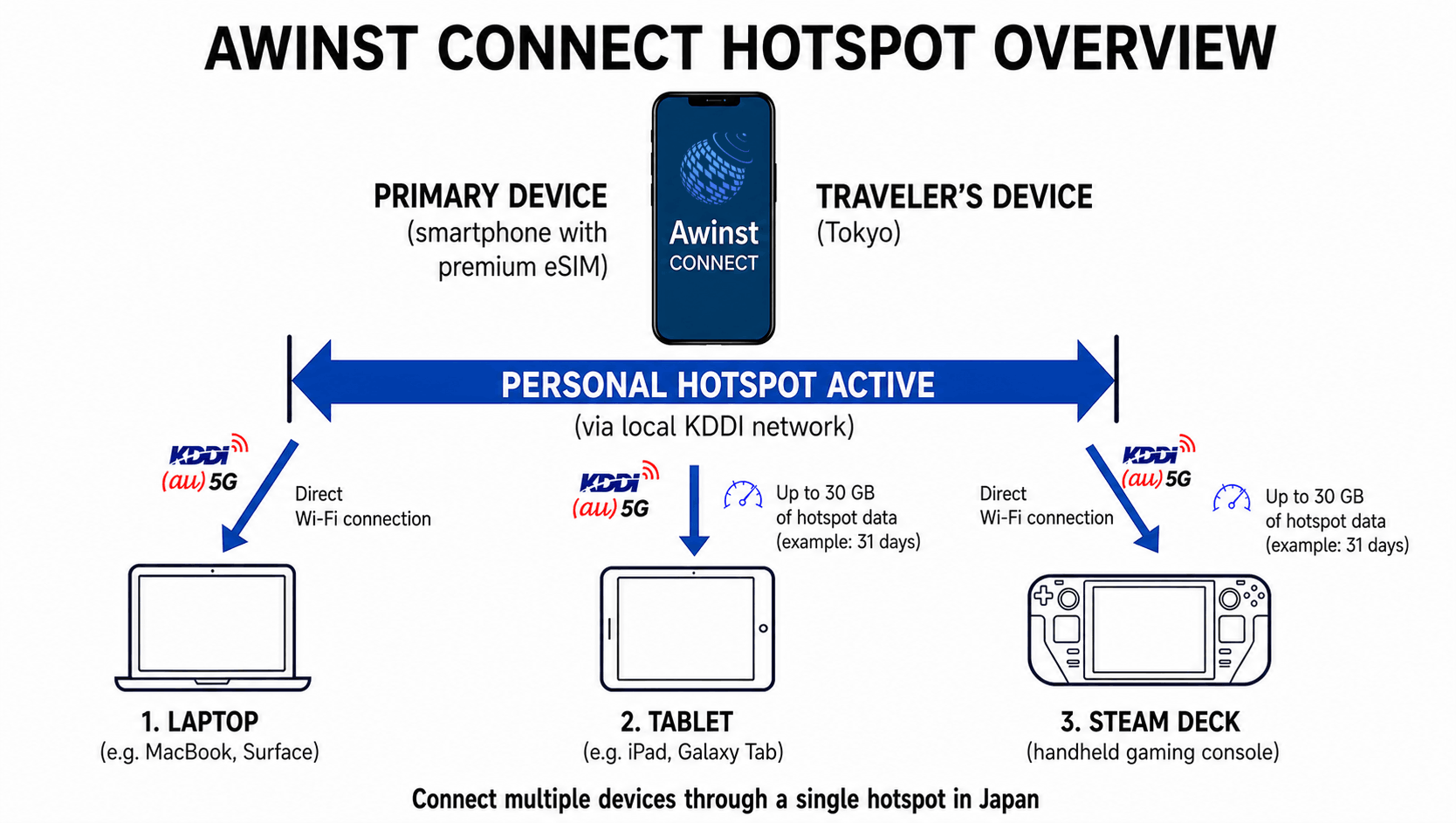
Premium eSIM supports Personal Hotspot, allowing you to share your mobile internet connection with laptops, tablets, game consoles, and other Wi-Fi devices while traveling in Japan.
Unlimited data applies to the smartphone or tablet where the eSIM is installed. Personal Hotspot includes a separate data allowance for the entire duration of your plan.
There is no operator-imposed limit on the number of devices that can connect to your personal hotspot simultaneously.
After the hotspot allowance has been used, hotspot speed is reduced to 128 kbps. However, unlimited mobile data on the device where the eSIM is installed continues to work normally under the terms of your plan.
The hotspot allowance depends on the plan you purchase.
- 3-day plan: 2 GB
- 4-day plan: 3 GB
- 5-day plan: 4 GB
- 6-day plan: 5 GB
- 7-day plan: 6 GB
- 8-day plan: 7 GB
- 9-day plan: 8 GB
- 10-day plan: 9 GB
- 11-day plan: 10 GB
- 12-day plan: 11 GB
- 13-day plan: 12 GB
- 14-day plan: 13 GB
- 15-day plan: 14 GB
- 16-day plan: 15 GB
- 17-day plan: 16 GB
- 18-day plan: 17 GB
- 19-day plan: 18 GB
- 20-day plan: 19 GB
- 21-day plan: 20 GB
- 26-day plan: 25 GB
- 31-day plan: 30 GB
No Top-Ups or Automatic Renewals
Premium eSIM does not support balance top-ups or plan extensions.
Each purchase is a separate prepaid package with a fixed validity period.
When your plan ends, there are no automatic renewals, recurring charges, or hidden fees. If you need additional service, simply purchase a new eSIM package.
4. Supported Devices and Compatibility
Compatible Devices
Premium eSIM is designed for use exclusively on smartphones and tablets that support eSIM technology.
It is compatible with most modern eSIM-enabled devices, including:
- Apple iPhone with eSIM support
- Apple iPad with eSIM support
- Samsung Galaxy with eSIM support
- Google Pixel with eSIM support
- Xiaomi, Honor, Motorola, OPPO, Sony, and other smartphones that support eSIM
Please note that different regional versions of the same smartphone model may support different cellular frequency bands. As a result, two devices with the same model name may have different compatibility with the KDDI network.
For the best experience across Japan, your device should support KDDI's primary LTE bands (Band 18 or Band 26) or its supported 5G frequency bands. These provide the widest coverage, including indoor and rural areas.
If your device does not support the required KDDI network bands, the eSIM may install successfully but mobile data performance can be limited or unavailable depending on your location.
Check eSIM Support Before Purchasing
Before purchasing, make sure your device supports eSIM technology and is not locked to a specific mobile carrier (SIM Lock).
Even if a device supports eSIM, a carrier-locked device may prevent the installation or activation of eSIM profiles from other mobile operators.
Checking compatibility before your trip helps avoid activation issues and ensures a smooth setup experience.
Smartphones and Tablets Only
This eSIM is designed specifically for smartphones and tablets. Compatibility with routers, laptops, USB modems, or other cellular devices is not supported and cannot be guaranteed.
Need Internet on Other Devices?
If you need internet access on a laptop, tablet, game console, or another Wi-Fi device during your trip, you can share your connection using your smartphone's Personal Hotspot feature.
Verifying compatibility before purchasing helps ensure a smooth installation process and can prevent unexpected activation issues, travel delays, and unnecessary expenses.
5. Refund Eligibility
If you have not yet installed your eSIM, you may request a refund within 14 days of purchase, provided that the eSIM has not been installed, activated, used, or expired.
Please note that scanning the QR code and installing the eSIM profile marks the start of digital service delivery. Once the eSIM has been installed, refund eligibility becomes limited.
Refunds are not available if:
- the eSIM profile has been installed or activated;
- the installed eSIM profile has been deleted from the device;
- your device is carrier-locked (SIM Lock);
- your device does not support eSIM technology;
- your device is not compatible with this eSIM service.
To avoid these situations, we recommend checking that your device supports eSIM technology, is carrier-unlocked, and is compatible with this service before installing your eSIM. Carefully following the installation instructions will also help ensure a smooth setup process.
6. Enjoy Your Journey
By now, you've learned everything you need to confidently and effectively use your Premium eSIM. From installation and activation to complete confidence in every step, you're ready to stay connected from the moment you arrive.
You can always view current prices or purchase an additional eSIM for your travel companion directly on the 5G Japan eSIM Unlimited Data – Premium page.
To learn more about network features, data speeds, and sharing options, check out our Complete Plan Description for 5G Japan eSIM Unlimited Data – Premium.