eSIM vs Pocket WiFi: What Is Better for Japan Travel
You've decided you need mobile data in Japan. Smart - this is not a country where you can wing it on café WiFi and vibes. The remaining question is the one everybody gets stuck on: eSIM vs Pocket WiFi for Japan travel, which one actually makes your trip easier?
This guide goes beyond a simple spec-sheet comparison. It looks at real pricing from the providers' own pages, the potential failure points that are easy to overlook, and which option makes the most sense for different types of travelers.
Quick Answer (TL;DR)
For most travelers nowadays, an eSIM is the better choice. It's cheaper, it works from the moment you land, and there's nothing to collect, carry, charge, or return.
Go with an eSIM if:
- Your phone is eSIM-capable and carrier-unlocked (most phones from 2019 onward are)
- You're traveling solo, as a couple, or as a small family
- You want to be online before you clear immigration
- you'd rather not build your travel itinerary around a return deadline
Go with Pocket WiFi if:
- Your phone is carrier-locked, or it's an older or regional model with no eSIM support
- You're four or more people who genuinely stay together all day
- You need a laptop online for full working days, every day
- You'd rather deal with a counter than a settings menu
eSIM Japan vs Pocket WiFi: What You're Actually Choosing Between
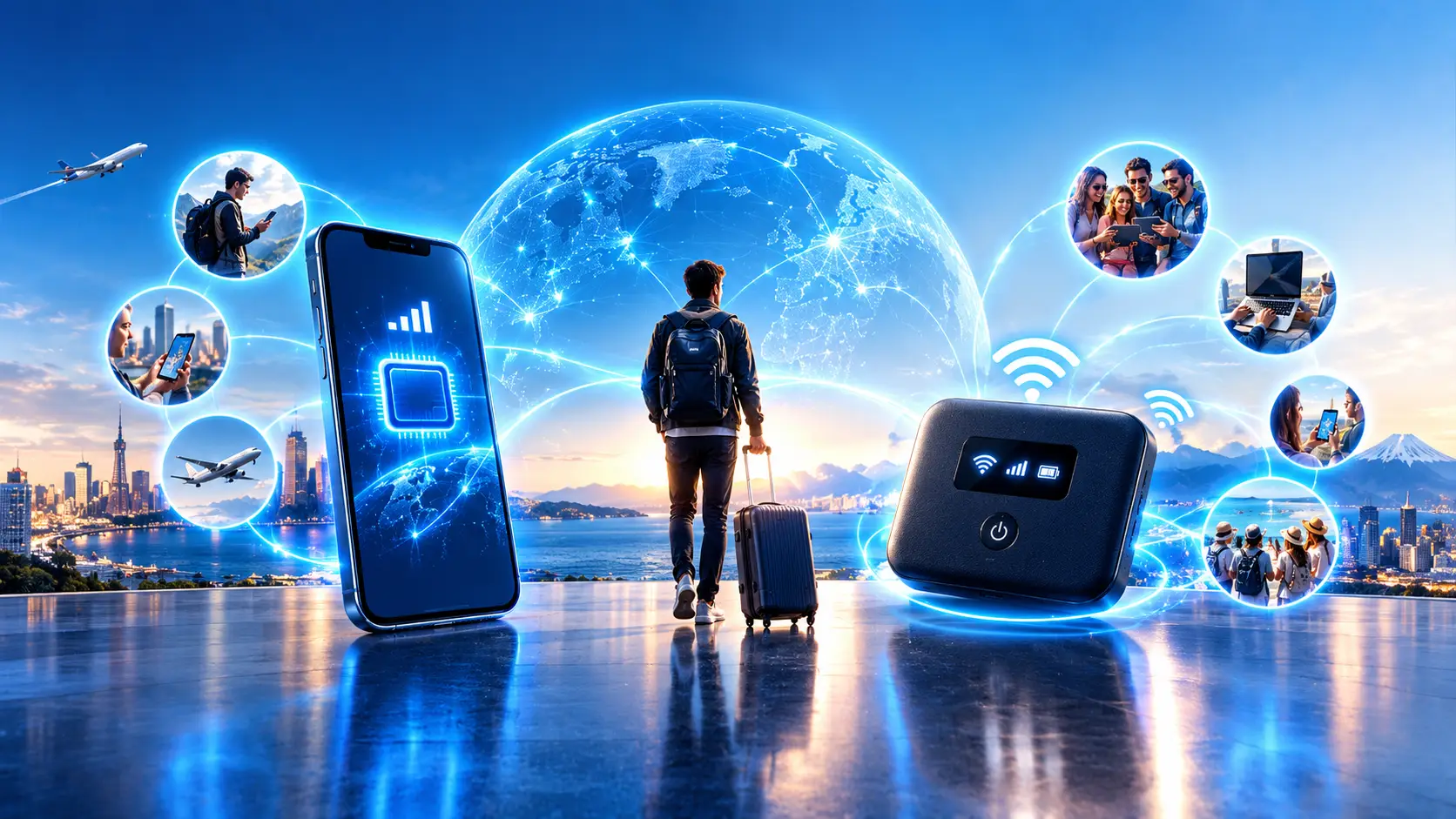
These two things sound like alternatives to each other. Technically, they're not even the same category, and understanding that clears up most of the confusion.
What an eSIM is
An eSIM is a SIM card built into your phone as a chip rather than a piece of plastic. You buy a Japanese data plan online, scan a QR code, and a second line appears in your phone's settings alongside your home number.
When you land in Japan, you switch that line on. Your phone connects to a Japanese network - KDDI (au), Docomo, or SoftBank, depending on the plan - exactly as a local phone would.
Nothing physical is involved. No queue, no deposit, no box.
The catch: it only works on the phone it's installed on. And your phone has to be both eSIM-capable and carrier-unlocked. More on that below, because it's the single most common reason people end up disappointed.
What Pocket WiFi is
Pocket WiFi is a small rented router, roughly the size of a deck of cards. It holds a Japanese SIM inside, pulls data from the same national networks, and broadcasts its own WiFi signal that your devices connect to.
You reserve it before your trip, collect it from an airport counter or have it delivered to your hotel, carry it with you every day, keep it charged, and return it before you fly home.
Its genuine advantage is that it doesn't care what your device is. Locked iPhone, ancient Android, laptop, Nintendo Switch - if it connects to WiFi, it connects to the router.
eSIM vs Pocket WiFi Japan: A Side-by-Side Comparison
Here's the comparison in one place, then the details behind each row.
| Feature | eSIM | Pocket WiFi |
|---|---|---|
| Hardware | None - it's in your phone | A router to carry and charge |
| Setup | QR code, about two minutes, at home | Book online, then collect on arrival |
| Online from | The moment you land | When you reach the counter |
| Typical 10-day cost | $12-$25 per person | $50-$110 for the group |
| Devices covered | One phone, plus hotspot | 5-15 devices at once |
| Battery | Uses your phone's | Its own, roughly 8-20 hours |
| If the group splits | Everyone stays online | Only the router-holder is online |
| Networks | Docomo / SoftBank / KDDI | Docomo / SoftBank |
| Deposit or damage risk | None | Up to ¥40,000 to replace |
| Returning it | Delete the profile whenever | Hard deadline on departure day |
| Requires | Unlocked, eSIM-capable phone | Nothing |
| Japanese phone number | No (data only) | No |
Price: What You Actually Pay
Advertised daily rates are nearly meaningless for Pocket WiFi because the headline number is usually the 30-day rate, and add-ons are priced separately.
Ninja WiFi, the biggest name in the category, publishes these rates on its own site: ¥440 (about US$2.90) for 1GB per day, ¥770 (about US$5.10) for 3GB, ¥1,100 (about US$7.30) for 5GB, and ¥1,980 (about US$13.20) for its "Infinite Unlimited" SoftBank plan. The Docomo 5G router costs ¥2,200/day (about US$14.70).
Then come the extras. Insurance runs ¥220-¥770/day (about US$1.50-$5.10) depending on the tier. A spare battery, which you will want because these devices don't survive a full sightseeing day on their own, costs ¥110-¥220/day (about US$0.70-$1.50). Hotel delivery costs ¥550 (about US$3.70) each way. Miss your return deadline without warning them, and it's ¥1,617 (about US$10.80) per extra day. Lose the router, and you owe ¥40,000 (about US$267).
Japan Wireless prices differently, charging about ¥4,064 (about US$27.10) for a single day, roughly ¥12,430 (about US$82.90) for fourteen days, and ¥20,860 (about US$139.10) for a month. Truly unlimited, up to 15 devices, with a power bank included. Across the whole market, daily rates range from ¥440 (about US$2.90) to ¥4,064 (about US$27.10).
Setup and the First Hour in Japan
This is where the Pocket WiFi vs eSIM Japan question is usually decided, and it rarely comes down to money.
With an eSIM, you install it at home a week before you fly, on your own WiFi, with time to fix anything that goes wrong. On arrival, you switch one toggle. People routinely have Google Maps open before the plane finishes taxiing.
With a router, you land, clear immigration, find the counter, show your booking, sign, have the device explained to you, and connect each phone with a password. Fifteen minutes on a good day.
On a bad day, the counter is closed. Airport rental desks keep business hours, and a delayed evening arrival at Narita or Kansai can easily put you past closing. That's your first night in Japan spent navigating on hotel WiFi and screenshots.
What "Unlimited" Actually Means
Both sides use the word. Both sides mostly mean something narrower.
The standard structure is a fair-use daily allowance, commonly 3GB or 5GB, after which speeds drop until midnight. Ninja WiFi documents a drop to 128kbps once you exceed your daily GB limit. At 128 kbps, Google Maps stops loading tiles, and translation apps time out. That's not slow internet, that's no internet with extra steps.
eSIM plans do the same thing, though the floor is often higher. Awinst Connect's standard unlimited plan gives 3GB/day at full speed, then throttles to 384 kbps, which still supports maps and messaging. Our Premium 5G plan is the rarer kind: no daily cap and no speed reduction at all, though hotspot sharing on that plan has its own total allowance.
How Much Data You Actually Need
Useful benchmarks, because most people wildly over-buy:
- Google Maps running in the background for eight hours: roughly 100-200MB
- Google Translate camera mode: about 5MB per translation
- Instagram, moderate scrolling and posting: 300-500MB per hour
- A light day of navigation and messaging: comfortably under 1GB
- A heavy day of video calls, streaming and uploads: 5-8GB
Coverage
Both eSIMs and rented routers ride the same three national networks. There is no secret tier of coverage available only to routers. Japan's mobile network is excellent in cities and along rail corridors, and it thins out in mountain valleys, deep forests, and remote islands, for both options equally.
The one honest difference is redundancy. Some routers can fall back across carriers, while most eSIM plans are locked to whichever network the plan uses. If your itinerary is genuinely remote, that's worth checking. If your itinerary is Tokyo-Hakone-Kyoto-Osaka, it isn't.
Sharing and Multiple Devices
The router's home turf. One device covers five to fifteen connections, and it doesn't care whose phone is whose.
But eSIM hotspot has closed most of this gap. Awinst Connect Premium unlimited plan allows hotspot usage without a daily limit (though the general hotspot cap still applies), and travelers regularly report running a second phone and a laptop off one plan for an entire trip. One eSIM shared between a couple works fine.
Is eSIM or Pocket WiFi Better in Japan for Your Type of Trip?
Travelers with Locked or Older Phones
Pocket WiFi, by default. If your phone is carrier-locked, or it's a regional model without eSIM support, the choice has already been made for you. A router doesn't care what's in your pocket - locked iPhone, older Android, a tablet that never had a SIM slot. Everything connects over WiFi.
First-Time Solo Travelers
eSIM, comfortably. You'll lean on maps and translation constantly, you have one device, and arriving already connected removes the single most stressful hour of the trip.
Couples
eSIM. Two plans at around $15 each for ten days still beats one router, and neither of you is tethered to whoever is carrying the bag. Or share one hotspot-enabled plan and pay once.
Families with Kids
Closer, but eSIM usually still wins on cost. The stronger argument is practical: teenagers wander off. Individual connections mean nobody is unreachable in Shibuya Station.
The exception is a family with older or locked phones, in which the router handles everything at once.
Groups That Split Up Daily
eSIM, or one router plus cheap eSIMs as backup. A single router cannot cover two groups in two places.
Large Groups That Stay Together
Pocket WiFi. Four or more people sharing one router costs less per head than four individual eSIMs, and at that scale the logistics are actually simpler - one device, one password, one bill.
The math only works if you genuinely move as a unit. The moment half the group peels off to a different temple, the router-holder takes the internet with them.
Digital Nomads and Remote Workers
Depends on your load. Light work - email, docs, occasional calls - an uncapped eSIM handles it. Full days of video calls, plus a laptop and a truly unlimited router with a proper battery, make for a more robust setup.
Whatever you pick, pay for the version with no daily throttle. A 128 kbps cliff mid-client call is a bad day.
Business Travelers
eSIM. Short trips, tight schedules, no time for counters. Install before you fly and land connected. Expense the $15 and move on.
Common Mistakes Tourists Make
Not Checking the Phone Before Buying
The big one. Dial *#06#. If a 32-digit EID appears, your phone has eSIM hardware. Just make sure it's carrier-unlocked, as a locked phone will reject the eSIM regardless. View instructions. Do this weeks before you fly, not at the airport.
Assuming a New Phone Is Automatically Fine
Regional variants sold in mainland China, Hong Kong, and Taiwan often ship without an eSIM, even when the same model elsewhere includes one.
Buying "Unlimited" Without Reading the Fine Print
Covered above, and worth repeating: the daily cap and the post-cap speed matter more than the word on the banner.
Waiting Until You Land to Install the eSIM
Installation needs a working internet connection. Airport WiFi usually works, but doing it at home a week early is free and stress-free.
Deleting the eSIM Profile to "Clean Up"
With many providers, deleting it ends the service permanently with no reinstall and no refund. Leave it alone until you're home.
Getting the Roaming Toggle Backward
Some Japan plans need Data Roaming ON, others need it OFF. It depends on whether the plan is a local profile or a roaming one. The plan page says which.
Check it, because this causes more "my eSIM doesn't work" panic than any actual fault.
Under-Costing the Router
The daily rate is not the price. Add insurance, battery, delivery and return before you compare anything.
Building Your Last Morning Around a Return Deadline
Post it before security, not after. Late returns bill by the day.
Leaving Your Home Line on Data Roaming
People do this with a router in their bag and come home to a four-figure bill. Turn off roaming on your home line, whichever option you choose.
Our Recommendation
If your phone is unlocked and eSIM-capable, and for most people reading this in 2026, it is - get an eSIM. The pros and cons of eSIM vs Pocket WiFi in Japan have shifted decisively over the last two years, and the case for renting hardware is now narrow and specific.
Pick your plan by how you actually use a phone, not by the biggest number:
- Maps, messaging, photos, some social media: an unlimited daily-cap plan with 3GB of high-speed data per day that refreshes every 24 hours.
- Heavy uploads, streaming, video calls, hotspotting a laptop: Premium unlimited plan with no daily limits or throttling.
- Light use, or a phone that's mostly on hotel WiFi: a fixed data pack for the entire trip.
Install your eSIM right at home, and the moment you land it activates and connects you directly to Japan's top-tier KDDI network for stable, high-speed 5G internet. By sorting out your mobile internet before departure, you can easily pick a plan that fits any budget, data volume, and travel style, and enjoy a seamless connection from the very first second of your trip.
Install your eSIM at home, activate in Japan — View plans (Use code PROMO10)
Rent a router instead if your phone is locked or lacks eSIM, you're four-plus people who genuinely stay together, or you need a laptop online all day every day.
The hybrid is worth considering for a family with mixed devices - one router for the group plus one cheap eSIM for whoever wanders off costs very little and removes the worst failure mode of either approach.
FAQ
Is eSIM or Pocket WiFi cheaper in Japan?
For solo travelers and couples, eSIM is clearly cheaper, around $15 per person for ten days versus $50-$110 for a router once insurance and battery are added. Even a family of four usually pays less with four eSIMs.
Only the very cheapest 1GB/day router tier, shared four ways with no add-ons, beats it on price.
Does eSIM work everywhere in Japan?
It works anywhere the underlying network reaches, which is the great majority of the country, including small towns and rural roads. Coverage thins in mountain valleys and on remote islands, but it thins identically for Pocket WiFi, since both use the same carriers.
Download offline maps for remote days.
Can I share my eSIM with other people?
Yes, via your phone's hotspot, as long as your plan permits it. Many Japan eSIM plans allow hotspot use with some restrictions.
Note that even if you have an Unlimited Plan for the main device, it doesn't automatically mean the hotspot is also unlimited. Check the plan page. Also, sharing noticeably drains your phone's battery.
Will My Phone Work with a Japanese eSIM?
Most iPhones from the XR/XS onward, Samsung Galaxy S20 and later, and Pixel 4 and later support eSIM. Dial *#06# and look for an EID to confirm the hardware.
Then confirm the phone is carrier-unlocked - a locked phone will reject the eSIM regardless.
Do I Get a Japanese Phone Number?
Almost never. Travel eSIMs and rented routers are both data-only. Use WhatsApp, LINE or FaceTime for calls.
If a restaurant booking needs a local number, ask your hotel. This is a routine request.
What Happens If I Hit My Daily Data Limit?
Your speed drops until midnight local time. How far it drops is the thing to check: 384kbps still carries maps and messaging, while 128kbps effectively doesn't.
Full speed resumes the next day.
Is Pocket WiFi Worth It for One Person?
Rarely, unless your phone can't take an eSIM. For one traveler, you're paying group-sized money for a single connection, plus carrying and charging a second device.
Can I Use Both?
Yes, and for long or work-critical trips it's sensible. A cheap eSIM as backup costs a few dollars and covers you if the router dies, gets lost, or walks off with someone else.
When Should I Buy?
An eSIM can be bought the day before you fly, installed at home, and activated on arrival. Pocket WiFi should be booked at least a week ahead, and considerably earlier during cherry blossom season, Golden Week and New Year, when airport counters can run out of stock.
Conclusion
The Japan eSIM vs Pocket WiFi debate used to be genuinely close. It isn't anymore, for most people.
An eSIM costs less, arrives instantly, requires no counter or return, and gives each person in your group their own connection instead of tying them to whoever is carrying the router. For a solo traveler, a couple, or most families, that's the whole argument.
Pocket WiFi keeps a real and legitimate niche: locked phones, older devices, large groups that stay together, and heavy all-day laptop use.
If you're in that niche, rent one without hesitation, just add up insurance, battery, and delivery before you compare prices.