How to Pay for Public Transport in Japan: Suica, PASMO and Mobile IC Cards Explained
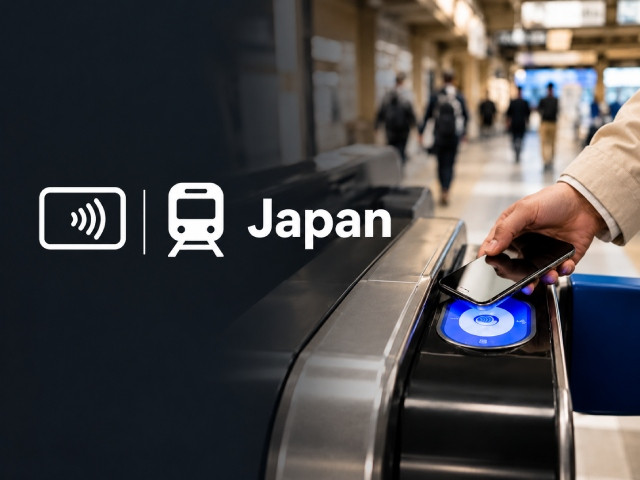
If you are wondering how to pay for public transport in Japan, the short version is that you almost never buy a ticket. You load money onto a prepaid IC card (a contactless transport card such as Suica or PASMO), either a plastic one or a digital one on your phone, then tap it on the reader when you enter the station and again when you leave. The gate calculates the fare and takes it from your balance. The same card works on subways, JR trains, most buses, many taxis, and thousands of convenience stores.
The confusing part is choosing between the versions: Suica, PASMO, Welcome Suica, TOURIST PASMO, Mobile Suica in Apple Wallet, and the contactless credit card system that finally went live across Tokyo in March 2026. This guide sorts that out with current information, real prices, and the compatibility traps that catch people at the airport.
Quick Answer (TL;DR)
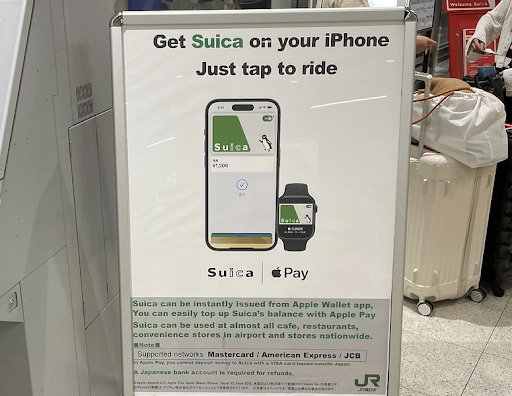
If you have an iPhone (iPhone 8 or newer): install the free Welcome Suica Mobile app from JR East before you fly. You issue a digital Suica in about three minutes, top it up with the card already in your Apple Pay, and walk straight past the queue at the airport. It stays valid for 180 days.
If you have an Android phone bought outside Japan: it's likely it doesn't support the FeliCa functionality required for mobile IC cards, so check your exact model before relying on Mobile Suica or PASMO. Japanese IC cards run on FeliCa chips, and overseas Android models do not have them. Buy a physical card at the airport instead: a Welcome Suica or a TOURIST PASMO, both with no deposit, or a regular Suica or PASMO if you plan to come back.
If you only ride Tokyo subways and private lines: you can now tap your own contactless Visa or Mastercard at the gates of 11 operators. It works well, but it does not cover JR East lines, including the Yamanote Line, so most visitors still want an IC card as the primary method.
Budget roughly ¥1,500 to ¥2,500 (about $9 to $16) per person per day for city transport, and load ¥3,000 (about $19) as your starting balance.
How to Pay for Public Transport in Japan: All Five Methods
1. Mobile Suica and Welcome Suica Mobile (best for most visitors)
There are two digital Suica options on iPhone, and people keep mixing them up.
Welcome Suica Mobile is JR East's app built specifically for overseas visitors. It launched in March 2025, the interface is in English, and there is no membership registration: you open the app, set a secret keyword, and the card is issued. Top-ups go through the credit card already registered in Apple Pay, so you never type card details into the app. The card is valid for 180 days from the date of issue, has no deposit, and the remaining balance is nonrefundable upon expiration.
Since autumn 2025, the app also connects to JR-EAST Train Reservation, so you can book Shinkansen and limited express seats and board with a tap on your phone. Since March 2026, it has been selling Green Car tickets for ordinary JR East trains as well, which is handy on the way to Narita.
A regular Suica or PASMO in Apple Wallet is the other option: open Wallet, tap the plus sign, choose "Transit Card", then pick Suica, PASMO, or ICOCA, and set the initial amount. No deposit, no expiry as long as you keep using it. Better for repeat visitors, because the balance does not vanish after 180 days.
One honest warning: top-ups sometimes fail. Mastercard and American Express usually work, and many Visa cards work now, but some banks still decline the transaction. If that happens, add cash to the card at any station machine and carry on.
Android users should check for FeliCa, also called Osaifu-Keitai, in their phone's specifications. Japanese-market Pixels and Galaxies have it. Almost nothing sold in Europe, the US, Australia, or Southeast Asia does, and no setting can fix it.
2. Physical IC Cards
Plastic is far from dead. After the semiconductor shortage that started in 2023, sales of unnamed Suica and PASMO cards fully resumed on 1 March 2025, and supply has been stable since.
- Regular Suica or PASMO: ¥1,000 (about $6.30) to start, consisting of a ¥500 (about $3.15) refundable deposit plus ¥500 in stored value. Valid for 10 years from last use. Refundable at a JR East or private railway ticket office.
- Welcome Suica: the red card for tourists. No deposit, sold from ¥1,000 to ¥10,000 (about $6.30 to $63), valid for 28 days, no refund of the remaining balance. Sold at JR East Travel Service Centers and dedicated machines at Narita and Haneda, plus major Tokyo stations.
- TOURIST PASMO: the newest option, launched on 20 May 2026 to replace the old PASMO PASSPORT that was discontinued in 2024. Same terms as Welcome Suica: no deposit, 28 days, no refund. It has a kanji design and doubles as a souvenir. Sold at stations serving Narita and Haneda.
All Japanese IC cards, ten brands including ICOCA in Osaka and SUGOCA in Kyushu, have been interoperable nationwide since 2013. A card bought in Tokyo works on a Kyoto bus. The brand on the plastic genuinely does not matter for a traveler.
The maximum balance on any of them is ¥20,000 (about $126).
3. Contactless Credit Cards
This changed significantly on 25 March 2026, when 11 railway operators in the Kanto region connected their contactless systems into one network: 54 lines and 729 stations, including Tokyo Metro, Toei, Tokyu, Keio, Odakyu, Seibu, Tobu, Keisei and Sotetsu. Seven card brands are accepted: Visa, Mastercard, JCB, American Express, Diners Club, Discover and UnionPay.
You tap your card or phone at the gate, ride, tap out, and the fare is billed later. No deposit, no top-up, no leftover balance. You even keep the ¥70 (about $0.44) transfer discount between Tokyo Metro and Toei.
The catch is large: JR East did not join. The Yamanote, Chuo, Sobu and Saikyo lines, which most visitors use daily, still require an IC card or a paper ticket. Osaka Metro, Fukuoka City Subway, Nankai and Keikyu also accept contactless cards, so coverage outside Tokyo is patchy but growing.
4. Paper Tickets
Still available at every station and occasionally necessary: for children traveling without a registered card, for a few rural operators, and as a fallback if your phone dies. Buy them from the machines with the fare map above, switching to English first.
Paper is now slightly dearer than IC on JR East: since the 14 March 2026 fare revision, the base fare is ¥160 (about $1) on paper and ¥155 (about $0.97) by IC.
5. Buses
Buses take the same IC cards. In Tokyo, you tap once when boarding because fares are flat, usually ¥210 to ¥230 (about $1.30 to $1.45). In Kyoto, Hiroshima, and most rural areas, you board through the rear door, tap on entry, then tap again at the front when you get off.
Japan Public Transport App: Which One Should You Use?
You do not need ten apps. Here is what each Japan public transport app actually does, and whether it needs a connection.
Welcome Suica Mobile (iPhone only, free). Your payment card and your JR East booking tool in one. Needs internet access to issue the card, top up, and book seats. Tapping at the gate works offline because the balance lives on the phone's chip. Set it up at home before you fly.
Mobile PASMO / Suica in Apple Wallet (iPhone free, Japanese Android only). Same tap-to-ride function, no tourist expiry date. The standalone Suica app is in Japanese and requires a Japanese card, so for most international visitors using an iPhone, Apple Wallet or the Welcome Suica Mobile app is the simplest option.
Japan Travel by NAVITIME (iOS and Android; free with in-app purchases). The most accurate transit search for Japan, including bus routes Google misses, plus platform numbers and which carriage to board for the fastest exit. Route search requires a connection; offline maps are available on the paid tier.
Google Maps (iOS and Android, free). Good enough for most trips, with departure times, transfer platforms, and fares. Transit directions need a connection: downloaded offline maps do not include timetables.
SmartEX (iOS and Android, free, English). The booking app for the Tokaido, Sanyo, and Kyushu Shinkansen, which covers routes from Tokyo to Kyoto, Osaka, Hiroshima, and Hakata. No annual fee, and it accepts foreign cards enrolled in 3D Secure. Link your IC card by entering the 17-digit ID printed on the back (or shown in Apple Wallet), then tap through the Shinkansen gate with that card. The fare goes to your credit card, not the IC balance. For Sendai, Niigata, or Kanazawa, use JR-EAST Train Reservation or Welcome Suica Mobile instead.
Mobile Suica vs PASMO
For a traveler, the two brands are close to identical. Both work across Japan's nationwide IC-card network, where IC cards are accepted. The differences are administrative: who issues the card and where you buy it.
| Mobile Suica / Welcome Suica Mobile | Mobile PASMO | Physical IC card (Welcome Suica / TOURIST PASMO) | |
|---|---|---|---|
| Issued by | JR East | PASMO Co. (Tokyo Metro and private railways) | JR East / PASMO Co. |
| Devices | iPhone 8+, Apple Watch; Japanese Android only | iPhone 8+; Japanese Android only | Any traveler, no phone needed |
| Deposit | None | None on mobile | None on tourist cards; ¥500 (about $3.15) on regular cards |
| Validity | 180 days (Welcome Suica Mobile) or unlimited (Wallet Suica) | Unlimited while in use | 28 days (tourist cards), 10 years (regular) |
| Top-up | Apple Pay card, or cash at machines | Apple Pay card, or cash at machines | Cash at machines and convenience stores |
| Language | English | Mostly English in Wallet | Machines have an English mode |
| Refund of balance | No (Welcome Suica Mobile) | Yes, at a PASMO office | No on tourist cards, yes on regular cards |
| Best for | iPhone users, most visitors | iPhone users who fly into Haneda on Keikyu | Android users, families, cash payers |
Can You Pay With a Credit Card Instead?
Partly, and much more than a year ago.
Where it works: Tokyo Metro, Toei and nine other Kanto operators since March 2026, plus Osaka Metro, Fukuoka City Subway, the Yurikamome, Yokohama Municipal Subway and airport lines such as Keikyu and Nankai. Look for the contactless wave symbol on a gate marked with card logos, not the standard blue IC reader.
Where it does not: all JR lines, most buses, most rural operators, and the vending machines and coin lockers that take IC e-money.
Three rules that trip people up:
- Tap in and tap out with the exact same card or device. If you enter with your phone and exit with the plastic card, even if it is the same account, the gate will reject you.
- Adult fares only. Children still need a ticket or a registered card.
- Everyone taps individually. You cannot tap twice to let a friend through.
Contactless is a genuinely good backup and a great option if you are staying near a Metro line for a few days. As the primary method for a first trip, an IC card is still more universal.
Do You Need Internet to Use Transport Apps?
Tapping at the gate works without a connection. Almost everything else does not.
You need mobile internet to top up Mobile Suica from your bank card, to search a route in Google Maps or NAVITIME, to book a Shinkansen seat in SmartEX, to display a QR ticket, and to check whether the line you want is suspended after a typhoon. In practice, you will use data every single time you move.
Station Wi-Fi is available but inconsistent, often requires email registration, and disappears the moment you step outside the concourse. Standing on a platform at Shinjuku trying to reconnect while your train leaves is a poor use of a holiday.
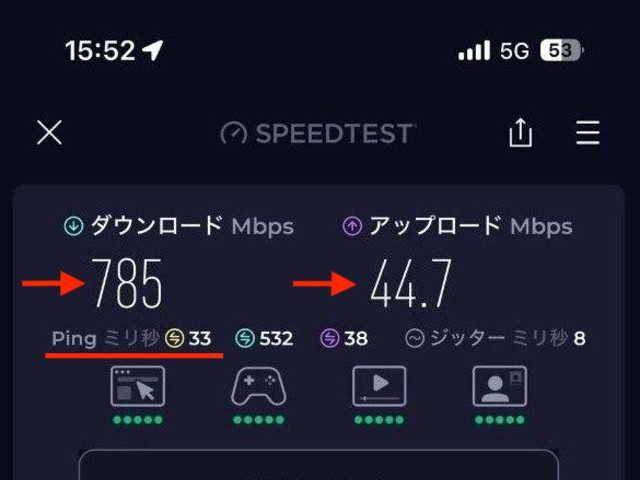
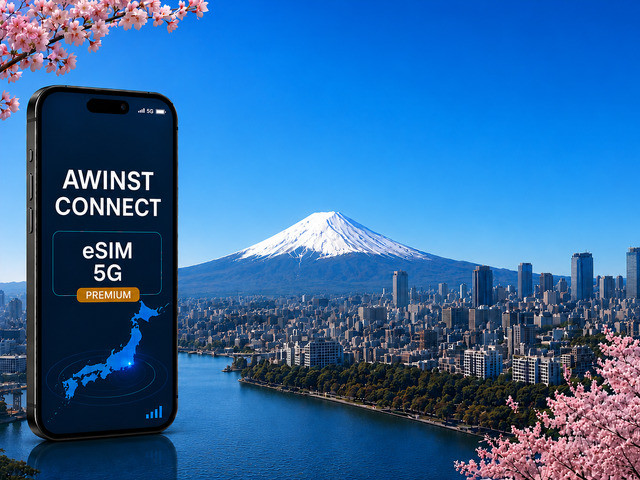
To avoid standing helpless on a platform trying to reconnect while your train leaves, the simplest solution is to install an Awinst Connect eSIM before you leave. Set it up at home, and it connects you to Japan's top-tier KDDI network for stable, high-speed 5G internet that won't drop in the subway or on a Shinkansen, giving you fast and reliable data for maps, transport apps, digital Suica, and tickets. That means you can get through the station and start your trip without having to search for Wi-Fi or sort out mobile data after landing. By sorting out your mobile internet before departure, you can easily pick a plan that fits any budget, data volume, and travel style, and enjoy seamless connectivity from the very first second of your trip.
Install your eSIM at home, activate in Japan — View plans (Use code PROMO10)
Common Mistakes Tourists Make
- Waiting until arrival to set up the app. Twenty minutes on the sofa at home is twenty minutes not spent in an airport queue with jet lag.
- Assuming an Android phone will work. The single most common disappointment. Check for FeliCa before you rely on it, and have a plan B.
- Believing credit cards are accepted everywhere. They are not accepted on JR lines, which is where most tourists spend most of their time.
- Buying a paper ticket for every ride. You lose time at the machine and pay slightly more.
- Loading too much onto a Welcome Suica or TOURIST PASMO. Neither refunds the balance. Top up in ¥2,000 (about $12.60) increments near the end of your trip and spend the remainder at an airport convenience store.
- Sharing one card between two people. Each person needs their own: the gate logs your entry station and will not open for a second tap.
- Panicking when the gate turns red. It usually means your balance was short. Use the fare adjustment machine near the gates, add cash, and tap out normally.
Frequently Asked Questions
Can tourists use Mobile Suica?
Yes. iPhone users can add a Suica in Apple Wallet or use the Welcome Suica Mobile app, both in English, with no Japanese address or Japanese Apple ID required.
Is PASMO better than Suica?
No. They are functionally the same across the whole country. Choose whichever is easier to obtain at your point of arrival.
Can I pay with Visa or Mastercard directly at the gate?
On 11 Kanto operators including Tokyo Metro, plus Osaka Metro, Fukuoka City Subway and several airport lines, yes. On JR lines, no.
Do I still need a physical IC card?
Only if you use an Android phone bought outside Japan, if you are traveling with children, or if you prefer paying in cash.
Does Mobile Suica work offline?
Yes, for riding. The balance is stored on the phone's chip, so gates work with no signal and even when the battery is in reserve power on recent iPhones. Top-ups and route searches need data.
Which transport app should I install before arriving?
Welcome Suica Mobile if you have an iPhone, plus Google Maps or Japan Travel by NAVITIME, plus SmartEX if you plan a Shinkansen trip.
How much should I load onto my card?
For most visitors, loading ¥3,000 initially provides a reasonable buffer for local transport and small IC-card purchases. The maximum balance is ¥20,000 (about $126).
Can I use my IC card for the Shinkansen?
Not with the stored balance. You book through SmartEX or JR-EAST Train Reservation and link your IC card, which then serves as your boarding pass while the fare is charged to your credit card.
Are Japanese train fares going up?
JR East raised fares on 14 March 2026 by an average of about 7 percent, the first broad increase since 1987. A short central Tokyo hop now costs around ¥155 to ¥260 (about $1 to $1.65).
What happens to my balance if I do not return to Japan?
A regular Suica or PASMO keeps its balance for 10 years and can be refunded at a ticket office. Welcome Suica, Welcome Suica Mobile, and TOURIST PASMO do not refund anything, so spend the balance before you leave.
Conclusion
Paying for transport in Japan is much easier than the number of options suggests. Put a digital Suica on your iPhone before you fly, or pick up a Welcome Suica or TOURIST PASMO at the airport if you use Android, and load about ¥3,000 (about $19). Keep a contactless credit card as a backup for Tokyo Metro. Book Shinkansen seats in SmartEX and link them to the same card.
The one thing that ties it all together is a working connection, since every top-up, route search, and booking happens online. Sort out your data before departure, and the rest of it takes care of itself at the gate.